

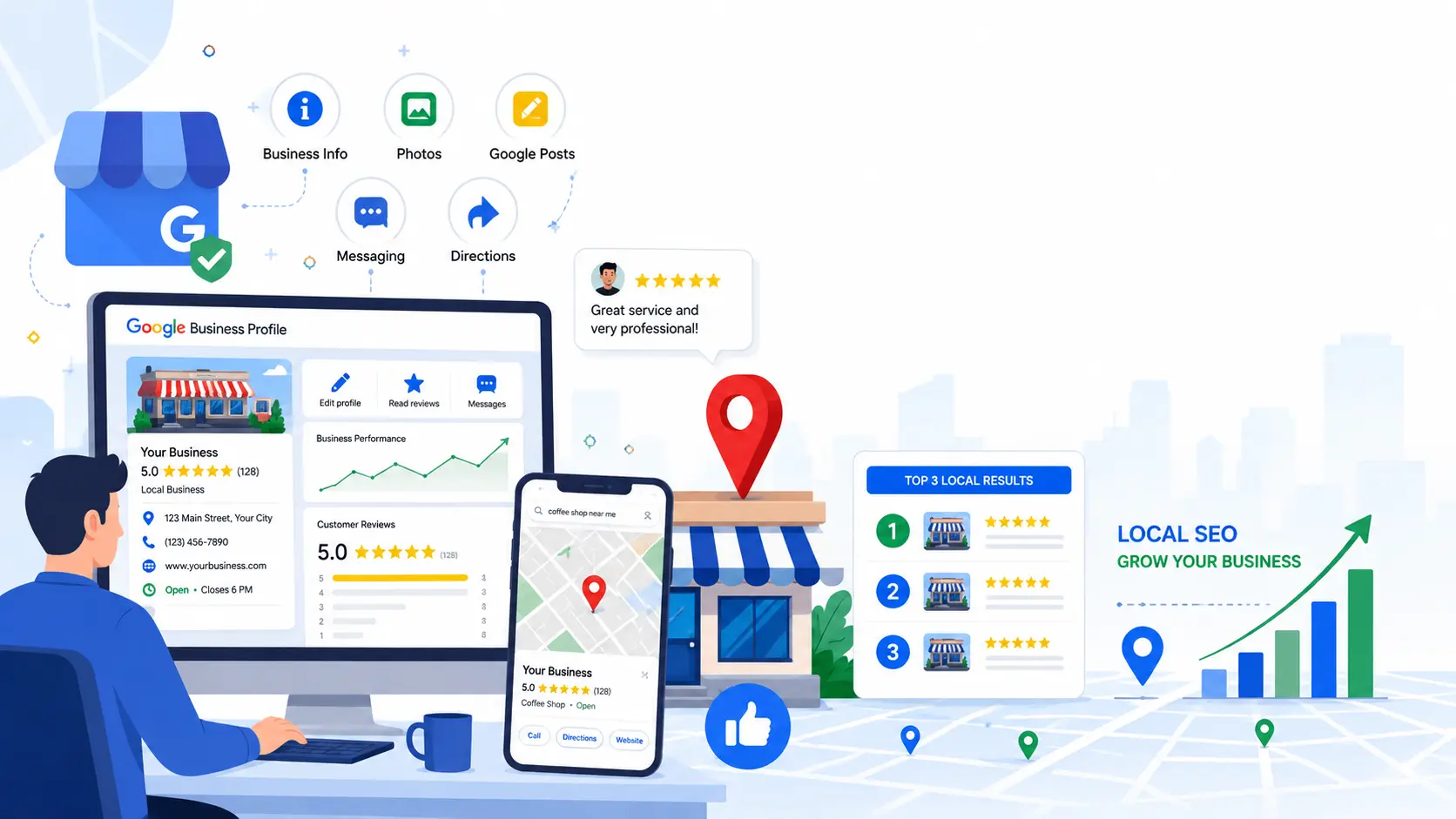
When people search for services like “dentist near me,” “best plumber in Chicago,” or “coffee shop nearby,” Google usually displays a map with three local businesses at the top of the search results. This section is called the Google Local Pack, and appearing here can significantly increase your calls, website visits, and foot traffic.
The good news is that you don’t need a huge marketing budget to improve your visibility. A properly optimized Google Business Profile (formerly Google My Business) can help your business rank higher in local search results and connect with customers who are ready to buy.
Why Google Business Profile Matters for Local SEO
Google Business Profile is a free tool that allows businesses to manage how they appear in Google Search and Google Maps.
A well-optimized profile helps your business:
- Increase visibility in local searches
- Build trust with potential customers
- Receive more phone calls
- Generate website visits
- Drive more store visits
- Improve Google Maps rankings
For local businesses, your Google Business Profile is often the first impression customers see before visiting your website.
How Google Ranks Local Businesses
Google uses three primary factors to determine local rankings.
| Ranking Factor | Meaning |
| Relevance | How closely your business matches the search query |
| Distance | How close your business is to the searcher’s location |
| Prominence | How well-known and trusted your business is online |
Although you cannot control the searcher’s location, you can improve relevance and prominence through proper optimization.
Step 1: Complete Every Section of Your Google Business Profile
An incomplete profile is less likely to rank well.
Fill in every available field, including:
Business Name
Use your real business name exactly as it appears on your signage and website.
Avoid adding keywords like:
- Best Plumber Chicago
- Cheap Dentist Near Me
Google considers this spam and may suspend your profile.
Business Category
Choosing the right primary category is one of the strongest ranking signals.
For example:
Primary Category
- Dentist
Secondary Categories
- Cosmetic Dentist
- Dental Clinic
- Emergency Dental Service
Choose categories that accurately describe your services.
Business Description
Your description should explain:
- What your business does
- Who you serve
- Your experience
- Your unique strengths
Example:
ABC Plumbing provides residential and commercial plumbing services throughout Dallas. Our experienced team specializes in emergency plumbing, drain cleaning, leak detection, and water heater repairs with fast, reliable service.
Write naturally without stuffing keywords.
Add Business Hours
Always keep your hours updated.
Remember to update:
- Holiday hours
- Seasonal hours
- Temporary closures
Accurate hours improve customer experience and reduce negative reviews.
Step 2: Verify Your Business
A verified profile has greater credibility.
Verification also unlocks features such as:
- Customer Reviews
- Google Posts
- Messaging
- Performance Insights
- Booking Options
Never create duplicate listings for the same business location.
Step 3: Use Accurate Contact Information
Consistency matters.
Ensure your:
- Business Name
- Address
- Phone Number
- Website
match exactly across:
- Your website
- Business directories
- Social media
- Local citation websites
This consistency is called NAP Consistency (Name, Address, Phone Number) and helps Google trust your business information.
Step 4: Add High-Quality Photos
Businesses with quality photos generally receive more customer engagement.
Consider uploading:
- Exterior photos
- Interior photos
- Team members
- Office
- Products
- Services
- Before-and-after images
- Company vehicles
- Logo
- Cover photo
Tips:
- Use original images.
- Avoid stock photos.
- Ensure images are clear and well-lit.
- Upload new photos regularly.
Fresh content signals that your business is active.
Step 5: Encourage Genuine Customer Reviews
Reviews are one of the strongest local ranking factors.
Ask satisfied customers to leave honest reviews after:
- Completing a service
- Delivering a product
- Finishing a project
Instead of buying reviews, focus on earning authentic feedback.
Respond to Every Review
Reply to:
- Positive reviews
- Neutral reviews
- Negative reviews
A thoughtful response shows professionalism and customer care.
Positive review response example:
Thank you for your kind feedback. We’re happy you had a great experience and appreciate your support.
For negative reviews:
- Stay polite.
- Avoid arguments.
- Offer to resolve the issue offline.
- Thank the customer for their feedback.
Google values businesses that actively engage with customers.
Step 6: Publish Google Posts Regularly
Google Posts help keep your profile active.
Share updates such as:
- New services
- Company news
- Holiday hours
- Promotions
- Events
- Educational tips
- Customer success stories
Posting once every week or two shows Google that your business remains active and engaged.
Step 7: Add Your Products and Services
Many businesses ignore the Products and Services sections.
Include:
- Service name
- Description
- Pricing (if appropriate)
- High-quality image
Example
Service: Water Heater Installation
Description: Professional water heater installation for residential and commercial properties. Same-day appointments available.
These sections provide Google with more information about your business and improve relevance for customer searches.
Step 8: Answer Questions in the Q&A Section
Customers can ask questions directly on your profile.
Common questions include:
- Do you offer emergency service?
- Are appointments required?
- Do you provide free estimates?
- Is parking available?
- What payment methods do you accept?
Monitor this section regularly and answer promptly.
You can also add frequently asked questions yourself to provide helpful information before customers ask.
Common Mistakes to Avoid
Many businesses unintentionally reduce their local search visibility by making avoidable mistakes.
Avoid these common issues:
- Adding keywords to your business name
- Choosing irrelevant business categories
- Leaving sections incomplete
- Ignoring customer reviews
- Using low-quality or stock photos
- Posting outdated business hours
- Creating duplicate Google Business Profiles
- Using inconsistent Name, Address, and Phone Number (NAP) across directories
- Neglecting Google Posts and profile updates
Following Google’s guidelines and keeping your profile accurate, complete, and active will help build trust with both Google and potential customers.
Final recommended
To optimize your Google My Business profile for local search ranking, complete every section of your profile, choose the right business categories, collect genuine customer reviews, post regular updates, upload high-quality photos, maintain accurate business information, and keep your profile active. These steps improve visibility in Google Search and Google Maps while helping customers trust your business.